
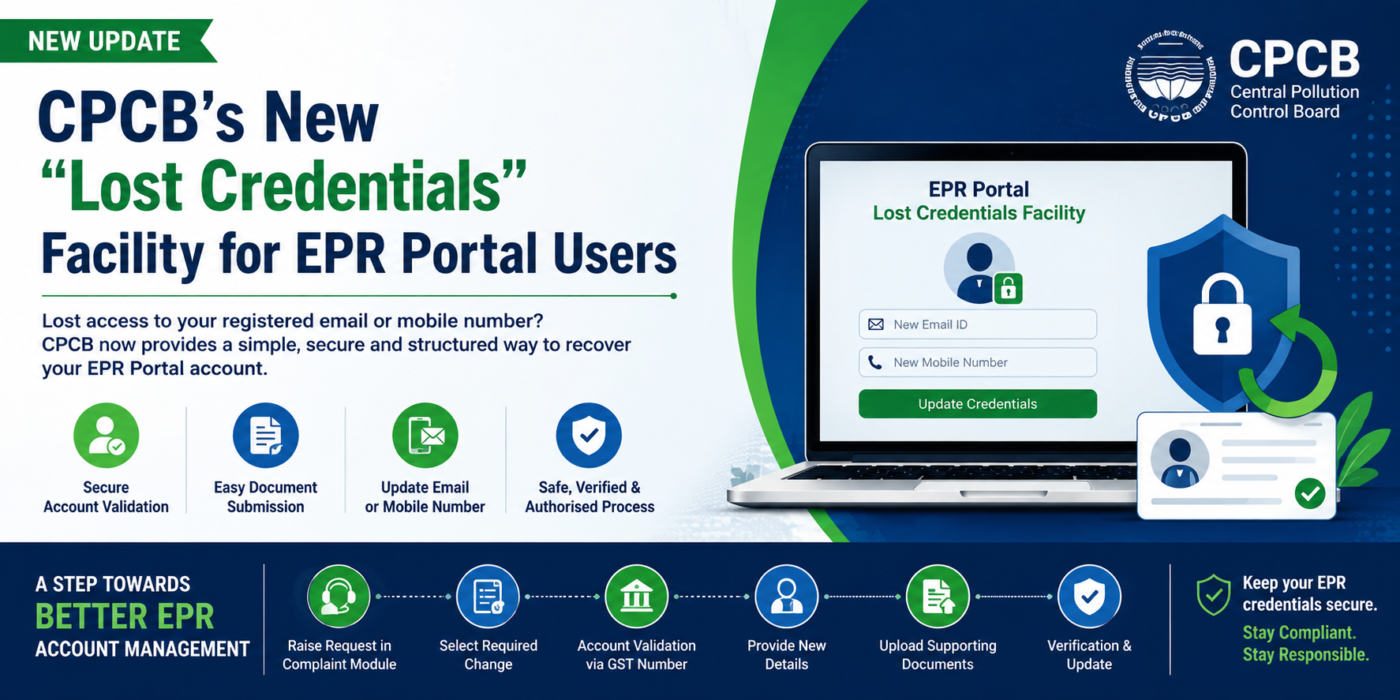
CPCB just made life easier for anyone managing EPR accounts with their new “Lost Credentials” feature. If you’re stuck because your registered email or mobile number is out of reach—maybe the person who opened the account has left, or those contact details are simply gone—don’t worry. You can now recover access without having to start a new EPR registration from scratch.
This is big news, especially for businesses using the Centralised EPR Portal for Plastic Packaging. Losing access used to cause a whole lot of headache; now there’s a clear path forward.
So, what’s this Lost Credentials thing about?
Sometimes, the person who set up the company’s EPR account moves on, or the old contact info just disappears into the void. Instead of creating a new account (which, by the way, CPCB really doesn’t want you to do), you can request to update your registered email, mobile number, or both through CPCB’s official process. You’ll just need to prove who you are and that you have the right to act on behalf of the business.
Here’s how it works:
1. Head to the CPCB EPR complaint module. Pick “Lost Credentials” from the options.
2. Choose what you need to update: email, mobile, or both. Explain why you’re making the change.
3. Validate your company’s account using your GST number. This step connects you to your current EPR registration.
4. After the system verifies you, submit the new contact details—plus your company and authorized person’s information.
5. Upload documents that prove your identity and authority. This could mean company papers, an authorization letter, an affidavit, or whatever CPCB asks for during verification.
These steps keep your account secure, so only people who truly represent the business can make changes.
Why does this matter? Your registered email and mobile aren’t just another box to tick—they’re how you log in, get CPCB messages, receive OTPs, and manage your compliance. If you rely on a consultant’s personal email or mobile for your EPR account, think twice. CPCB says use the dedicated contact info for the authorized person—so keep that control in-house, not with outside agents.
Let’s clear up the difference between “Forgot Password” and “Lost Credentials.” Forgot your password? That’s easy—use the “Forgot Password” option, as long as you still have access to your registered email or phone. Lost access to those? That’s when you should use Lost Credentials. Figure out what’s actually missing before you do anything.
What should companies do now? Here’s the checklist:
– Keep the registered email and mobile number under your company’s direct control.
– Update the authorized person’s info if employees or representatives change.
– Don’t use a consultant’s personal contacts for primary login.
– Always have your GST, PAN, authorization letters, and other documents handy.
– Don’t just create a new registration if you can’t log in—see if Lost Credentials can help first.
– Maintain access to the numbers and emails used for OTPs.
This whole update is a practical fix for the very real problem of lost access, especially when companies shuffle staff or old contact details get lost. Now, instead of being locked out or starting from scratch, there’s a way to regain control—securely, but without unnecessary red tape.
Bottom line?
Treat your EPR login credentials like any other key compliance asset. Keep them safe and under your company’s wing, not someone else’s. If you lose access, use CPCB’s Lost Credentials process to recover it.
One last thing: processes might differ across CPCB’s various EPR portals. The steps here are for the Centralised EPR Portal for Plastic Packaging. If you’re working with other streams, like batteries, check their procedures.
And if this all sounds like a headache, or you’re unsure how to get started, talk to a regulatory compliance professional for help with registration, updates, or anything EPR-related. Staying on top of compliance just got a little easier.